Sunset Sail
Chris, Sam +1 Role-based
3 tips $125
Chris Deckhand · 40% $50.00
Jen First mate · 40% $50.00
Sam Captain · 20% $25.00
Guests scan your QR code and tip in about 15 seconds with Apple Pay, Google Pay, or card. CrewJar splits each tip and gets everyone their share.
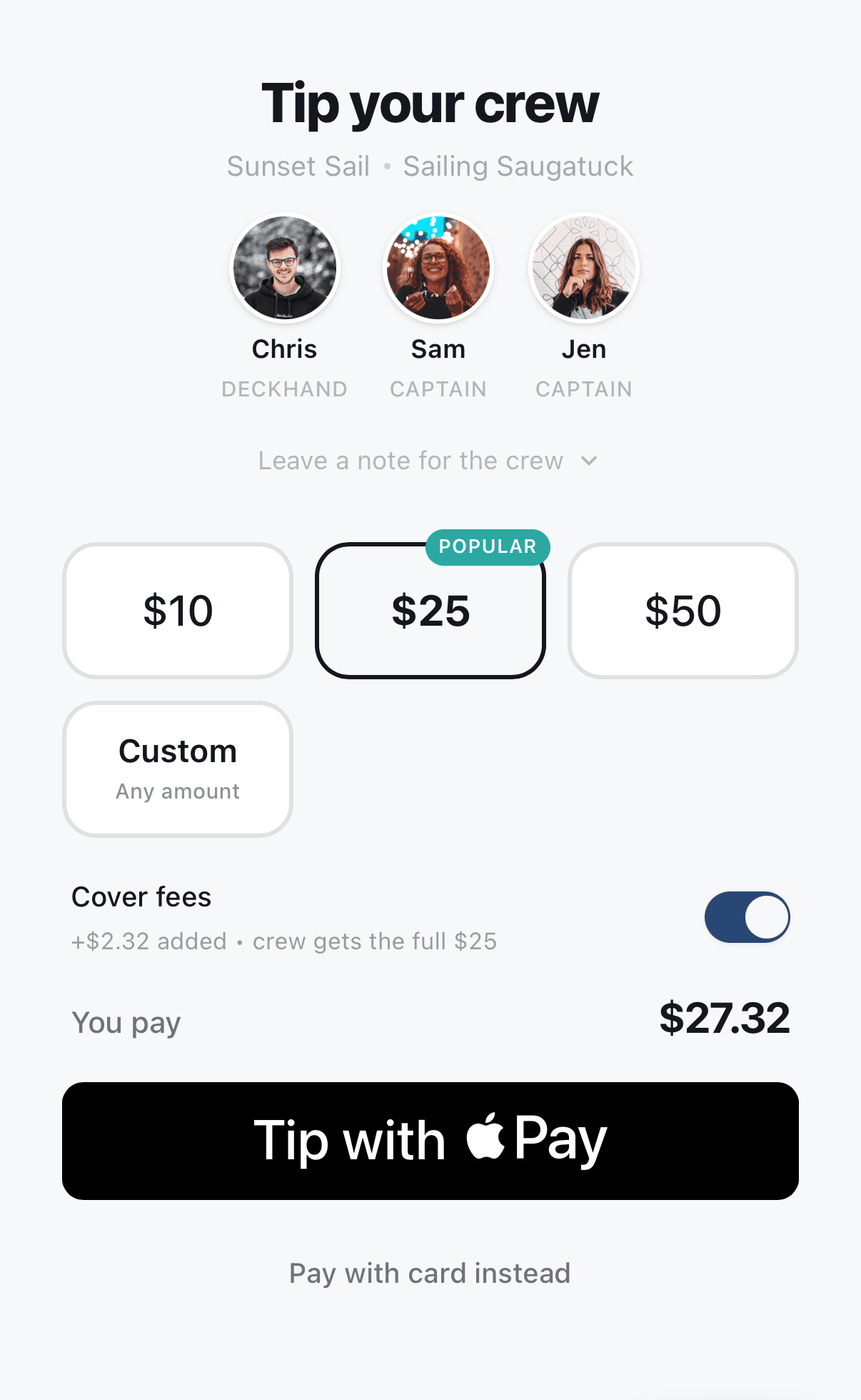




Before each trip or shift, select the crew and set each person's share. Guests scan your QR code and tip from their phones.
Choose who is working and confirm each person's share. Start the session, and new tips will follow that split.
They use Apple Pay, Google Pay, or card—no app or account required.
CrewJar splits the tip using the percentages you set and sends each crew member their amount.
 Sailing Saugatuck · Michigan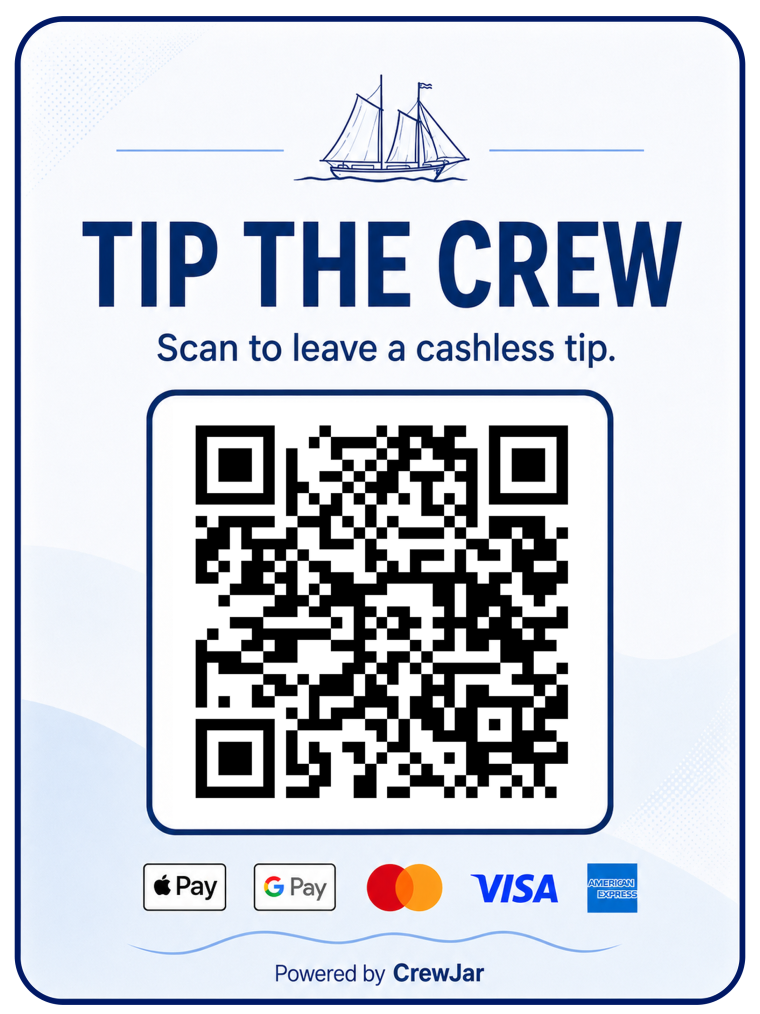
“Our customers are tipping more and our crew is super happy. CrewJar makes it so simple, and the fact that it's free makes it a no-brainer.”
Sailing Saugatuck is our own charter business. CrewJar was built for this crew first, and ran a full season here before we offered it to anyone else.
Each tip carries a 4.9% CrewJar fee plus standard card processing. Guests are asked to cover it at checkout and most do — when they don’t, it comes out of the tip rather than out of your pocket.
See detailed fee information Start accepting digital tipsEach tip jar comes with its own ready-to-print QR poster. Display it where guests will see it, then update the crew assigned to that tip jar as shifts change.
From guest checkout to crew payouts, payment and banking information is handled securely—helping protect your customers, your crew, and your business.
Secure guest checkout · Protected bank details · Direct crew payouts

Still wondering about something?
Talk to us at hello@crewjar.comNothing, to you. No subscription, no setup fee, no hardware and no contract — a quiet month costs exactly what a busy one does. Each tip carries a 4.9% CrewJar fee, plus the card processing of roughly 2.9% + 30¢ that comes with taking any card payment. At checkout the guest is asked whether they would like to cover it, and most do, in which case the crew receive the whole tip. If a guest would rather not, it comes out of that tip instead. The worst case is a slightly smaller tip — never a bill.
You never touch the money. Each crew member connects their own account once, and from then on their share of every tip goes straight to their bank — no envelopes at the end of the night, no working out who is owed what, and nobody quietly wondering whether the split was fair. Payouts are handled by Stripe on a rolling schedule; the first one takes a little longer while a new account is verified.
No, and that is rather the point — anything a guest has to download is a tip you do not get. They scan the QR code and pay with Apple Pay, Google Pay, or a card straight from their phone browser, in about fifteen seconds. Nothing to install, nothing to sign up for, no password to forget.
Card details never touch CrewJar. Payments run on Stripe, the infrastructure behind millions of businesses worldwide, independently audited every year against the highest certification the card industry issues. Your business never sees or stores a guest’s card or a crew member’s bank details, so there is nothing sensitive sitting on your side to lose.
Yes, and it takes seconds. Split equally, by role, or by your own percentages, then confirm who is working before each trip or shift. The tip jar keeps the same QR code whoever is on it, so nothing ever needs reprinting — tips simply follow the crew you have assigned.
Yes, at no extra cost. Give each boat, vehicle, or location its own tip jar and its own QR poster, then move crew between them as the roster changes. It is all one account, and running five costs exactly what running one costs: nothing.
Yes. Plenty of people only think of it once they are back in the car. CrewJar can hold a late-tip window open so that tip still reaches the crew who actually looked after them, rather than whoever happens to be working next.
Everyone sees the same numbers. You see every tip and how it was divided, as it happens; each crew member sees their own earnings — so nobody keeps a private tally and nobody has to take it on trust. Earnings reports and CSV exports are there for your records. Tax rules vary, so operators and crew should speak to their own tax professional.
Yes, at the best possible moment. A guest who has just tipped is a guest who enjoyed themselves, so right after they pay CrewJar can prompt them to leave a review on your Google or TripAdvisor page, while it is still fresh.
Not yet — CrewJar is available in the United States only for now.
Create your tip jars, add your crew, and start accepting cashless tips.
No subscription · No card required · No hardware